

Publish everywhere, answer everyone, show what worked.
In house teams and agencies plan every brand's posts, answer comments and DMs and report results from one Linkme account.
Real Linkme customers, their public posts and Linkme pages. Approvals, the Social Inbox and Reports are shown here on real brands' public posts as an illustration. One team running these three brands is an illustration. Fans, messages and figures are illustrative.
Four outcomes of the team's week, one at a time, with the brand's real Instagram or Linkme page in a phone beside each. In a sample approval step, LIV Miami's Thursday post reads 2 of 2 approved. Post to All shows Published to all 7 and the post lands first in LIV's Instagram grid. In the Social Inbox a FIFA World Cup 26 fan's message is answered with a saved reply and marked Resolved. Last, the report by brand for September puts every brand's profile views, link clicks and leads side by side.
Brands on Linkme





Plan, review, publish, answer, report
A social team's week on Linkme, step by step, and who does each part. It works alongside the tools your team already uses.
- 01
Plan
The social media manager writes the week's posts and puts them on the calendar. Link can draft captions to start from.
- Who
- Social media manager
- With
- Link
- 02
Review
An owner or admin approves each post before it is scheduled. Nothing goes out unchecked.
- Who
- Owner or admin
- With
- Post to All
- 03
Publish
Each approved post goes out to the networks you choose at its scheduled time.
- Who
- Social media manager
- With
- Post to All
- 04
Answer
DM automations send the link to repeat questions. A teammate answers the rest in one inbox for Instagram and Facebook comments and DMs.
- Who
- Community manager
- With
- Social Inbox
- 05
Report
Views, link clicks and engagement for every brand's page, side by side, saved as a PDF for leadership.
- Who
- Team lead
- With
- Analytics
The Social Inbox covers Instagram and Facebook comments and DMs. Conversations cannot be assigned to a teammate.
Plan the week. Post it everywhere.
Write one post and publish it to each network you choose, now or on a schedule.
Real Linkme customers and their public posts. Approvals are shown here on real brands' public posts as an illustration. One team running these three brands is an illustration. Captions and times are illustrative.
In a sample approval step, FIFA World Cup 26's matchday post waits in Needs attention, blocked from scheduling, with 1 of 2 approved and waiting on Dana. She presses Approve and it reads 2 of 2 approved. Post to All then posts it to all seven networks at once, every one reading Published, and the post lands first in FIFA's real Instagram grid beside it.
One inbox for what needs a person
Messages and comments from Instagram and Facebook land in one place. Leave a note for the team, answer with a saved reply and resolve it.
Real Linkme customers and their public posts. The Social Inbox is shown here on real brands' public posts as an illustration. One team running these three brands is an illustration. Fans, questions, notes and replies are illustrative. Assigning a conversation to a teammate is not part of the Social Inbox.
On LIV Miami's real Instagram post a fan asks for a table for 10 this Saturday. In the Social Inbox, Dana switches the composer to Internal note and adds a note for the team that the customer never sees, opens Saved replies, picks the reply and presses Reply; the answer with link.me/livmiami lands under the fan's comment, and she resolves the conversation so Open steps down.
See what every brand's page did this month
See profile views, link clicks and engagement for any page and range, then put every brand side by side.
Real Linkme customers. Every brand side by side is the Linkme for Agencies view. One team running these three brands is an illustration. Every figure is illustrative. Reports save as a PDF. Contacts in Leads export as a CSV.
Every brand side by side in Analytics: Dana switches the range from 30D to 90D, and profile views, link clicks and Avg CTR across every account count up. The Roster leaderboard then ranks FIFA World Cup 26, Mall of America and LIV Miami, one row at a time.
See how they run it
Each story is read off the brand's own live Linkme page: what they put on it, how it is laid out and the numbers it shows.


Retail and entertainment
Mall of America
Seasonal events and tickets lead the page, followed by the directory, dining guide, parking and coupon book.
Read the storylink.me/mallofamerica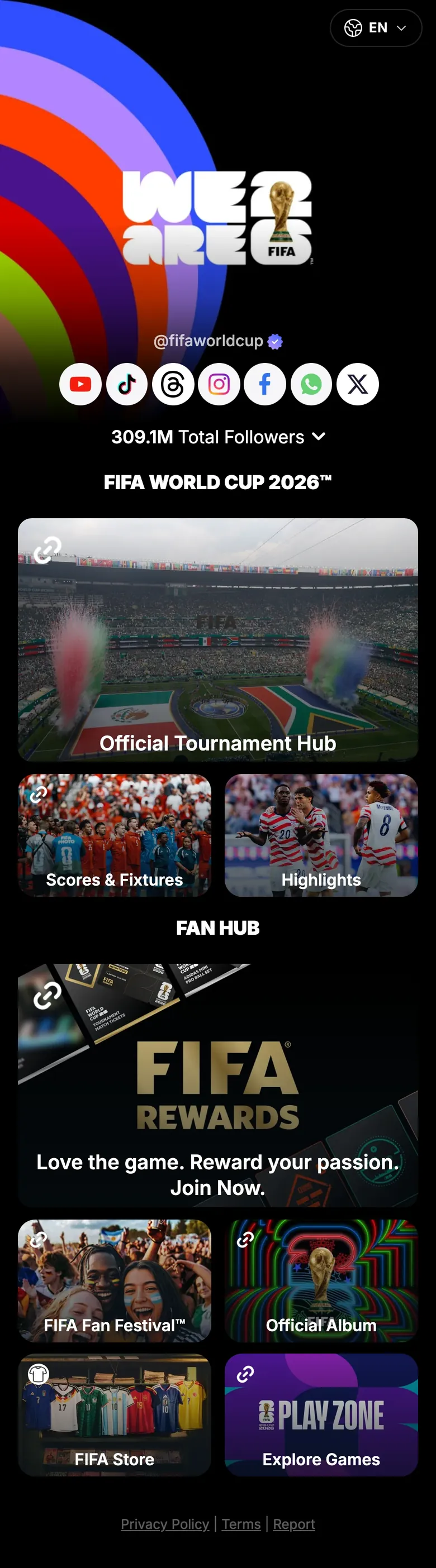

Global tournament
FIFA World Cup 26
The official tournament page sends fans to the tournament hub, scores and fixtures, highlights, the FIFA Store and FIFA Rewards from one link.
Read the storylink.me/fifaworldcup
Nightlife
LIV Miami
Upcoming nights run as an events row, and guests leave their email right on the page.
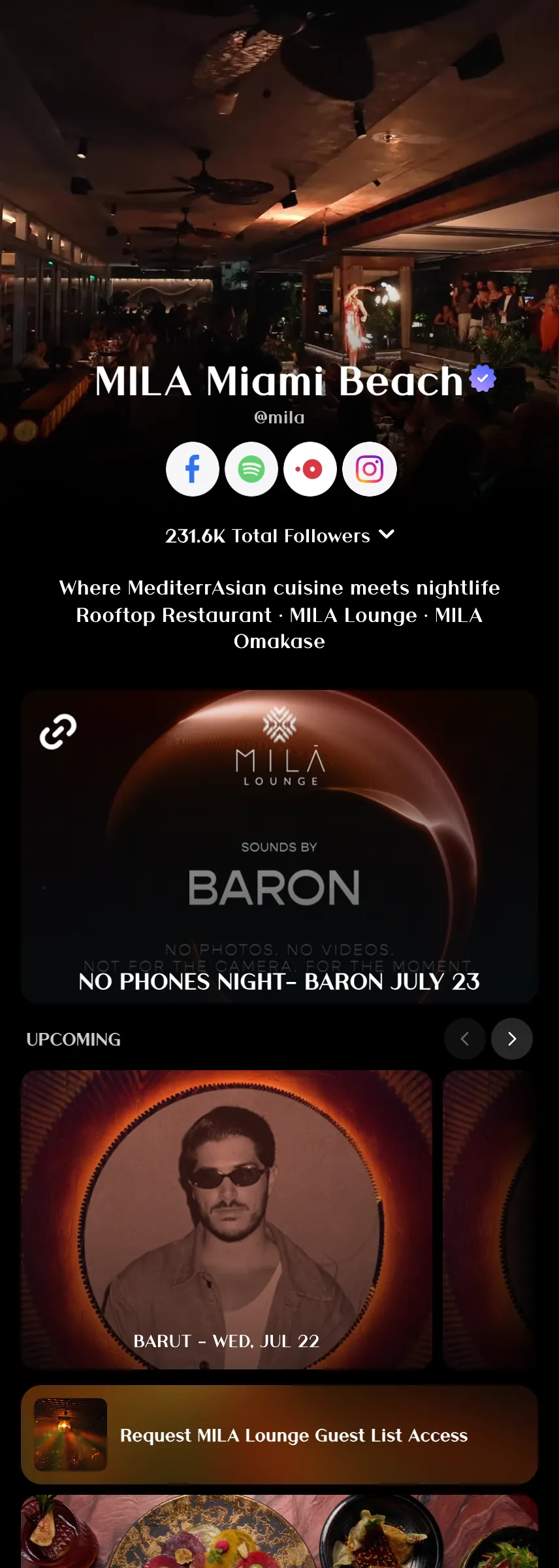
Read the storylink.me/livmiamiRiviera Dining Group runs MILA, CASA NEOS and more on Linkme.
“Linkme has provided us with a centralized platform that streamlines navigation across all of our brands while allowing us to easily track click traffic for key activations in one place.”
 Marine GalyChief Brand Officer, Riviera Dining Group · MILA, CASA NEOS, AVA MediterrAegean, CLAUDIE
Your team, set up in a week
Book a demo and tell us which brands, pages and accounts the team runs. Then three steps.
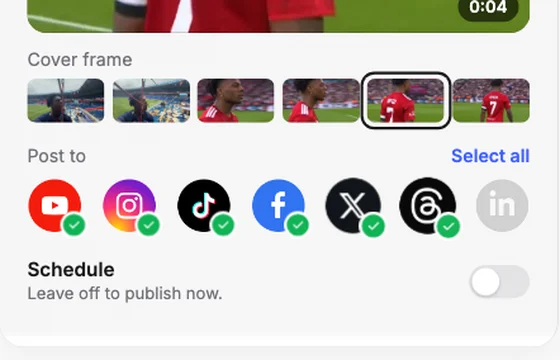 Step 1Connect every accountConnect each brand's networks, so one post reaches every one you choose.
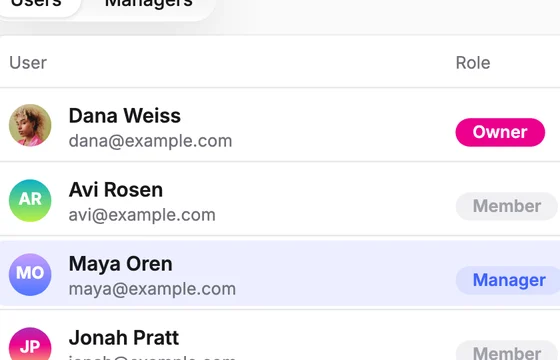 Step 2Give each manager their brandsMake someone a manager of every account, or only the ones you pick.
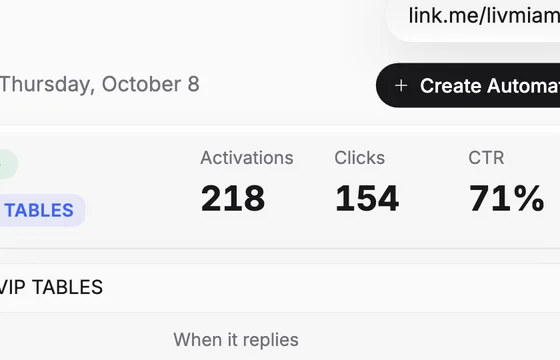 Step 3Automate the repeat questionsTurn on DM automations for the posts that always get asked for the link.
Questions, answered
Can several people on our team use Linkme?
Yes. One account holds every page you manage. Give each person a role: Owner, Super Manager, Manager or Member. A manager can work on every account or only the accounts you assign.
Can we approve posts before they go out?
Yes. A post can wait for an owner or admin to approve it before it is scheduled, and it keeps its scheduled time.
Can we assign inbox conversations to a teammate?
No. The Social Inbox brings messages and comments from Instagram and Facebook into one place, with internal notes, saved replies and Resolve. Assigning a conversation to a teammate is not part of it.
Which platforms can we post to?
With Post to All, one post goes to your connected accounts on Instagram, TikTok, Facebook, YouTube, X, Threads and LinkedIn, now or at a time you schedule.
Can we schedule posts?
Yes. Schedule a post for a date and time, or leave scheduling off to publish as soon as the media finishes processing. The calendar shows every post by day, week or month.
How do DM automations work?
DM automations run your social replies and messages for you. Pick a post and a keyword, or answer every comment, and Linkme replies, sends a DM with your text and your link, and counts the activations and clicks.
What can we report on?
Analytics shows profile views, link clicks, total interactions and engagement rate for every Linkme page, with top links, traffic sources and places, a view across every account you run, reports by brand and the executive summary. The contacts in Leads export as a CSV.
Run every brand from one login
Book a demo and see Post to All, DM Automations and Analytics on your own brands.

